Tuanjie Cowork Application Introduction
Tuanjie Cowork isn't just about generating code — it's an intelligent partner that works alongside you:
- Understands your needs and intentions
- Respects your project's coding standards and architecture
- Proactively provides suggestions and improvement plans
- Takes action when you need it and provides explanations when you're unsure
Getting Started
Opening Tuanjie Cowork
-
Log in with Unity ID.
-
Select a project
- New window — Start a new conversation where you can discuss any topic with Tuanjie AI.
- Open game project — Browse your local Unity or Tuanjie game projects and select one to work on with Tuanjie AI.
- Open folder — Open a local folder and start a conversation, such as asking Tuanjie AI to analyze the files and overall architecture.
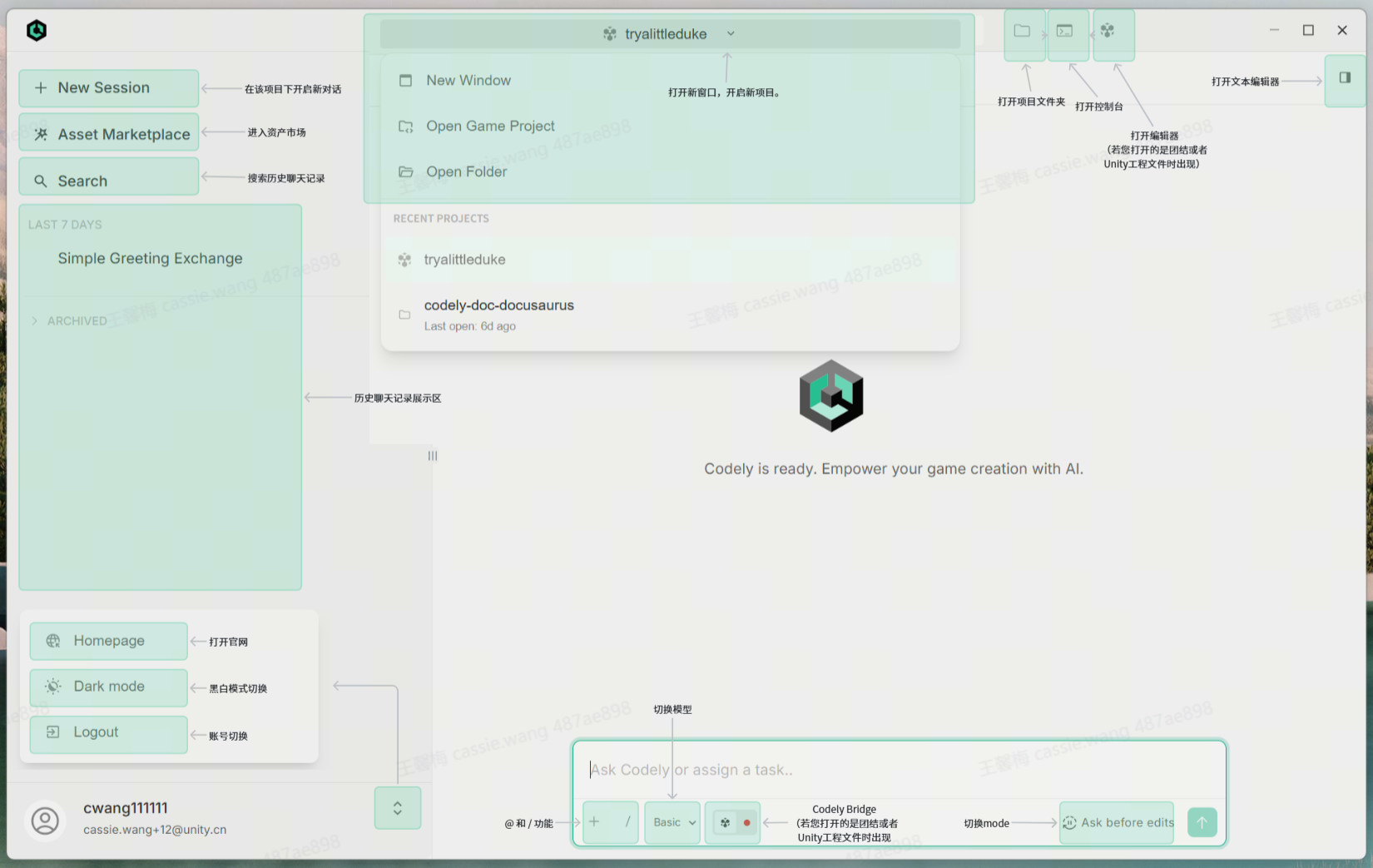
Cowork Page Layout
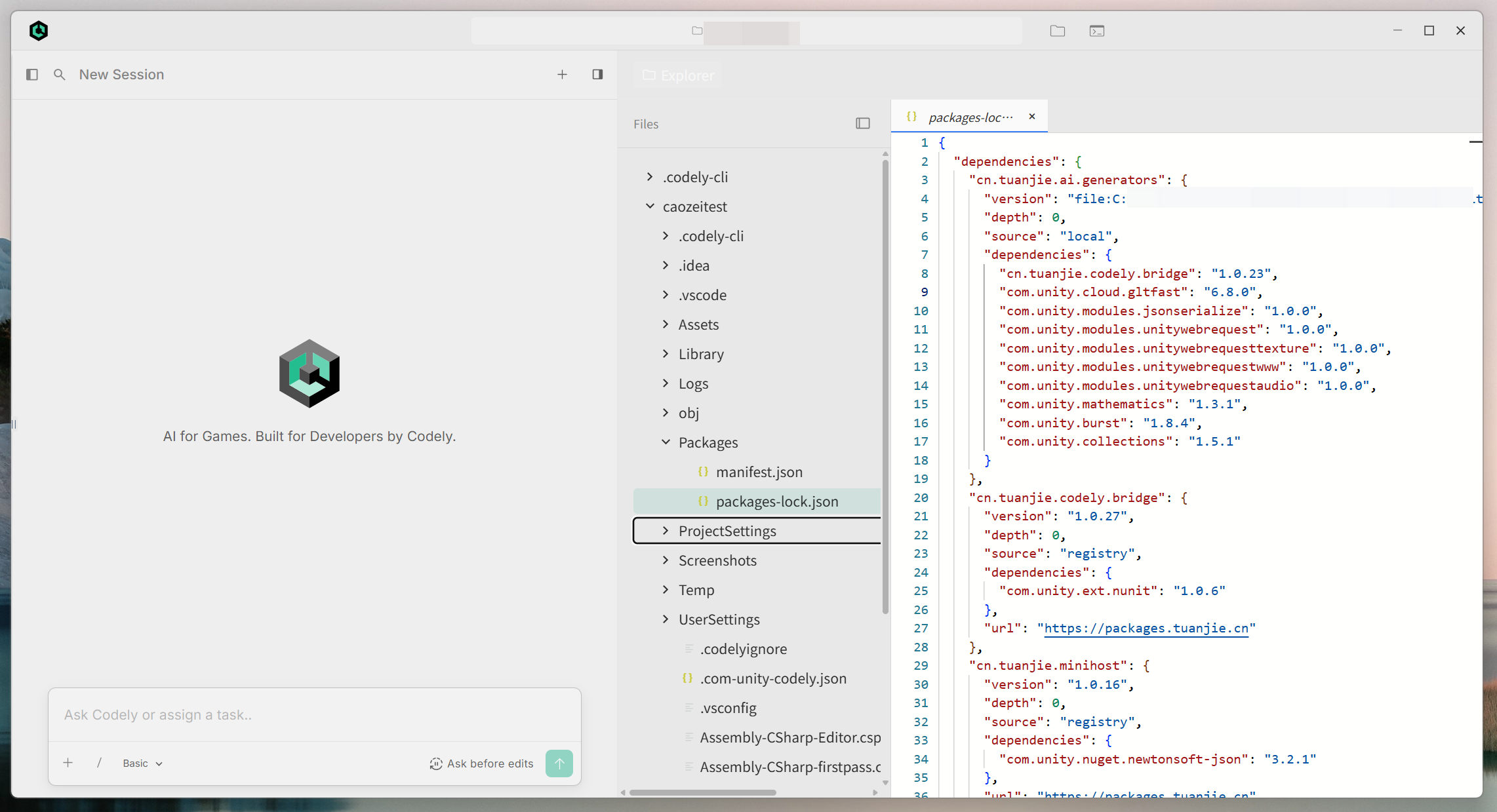
- Open the file editor window, where you can directly read and edit code:
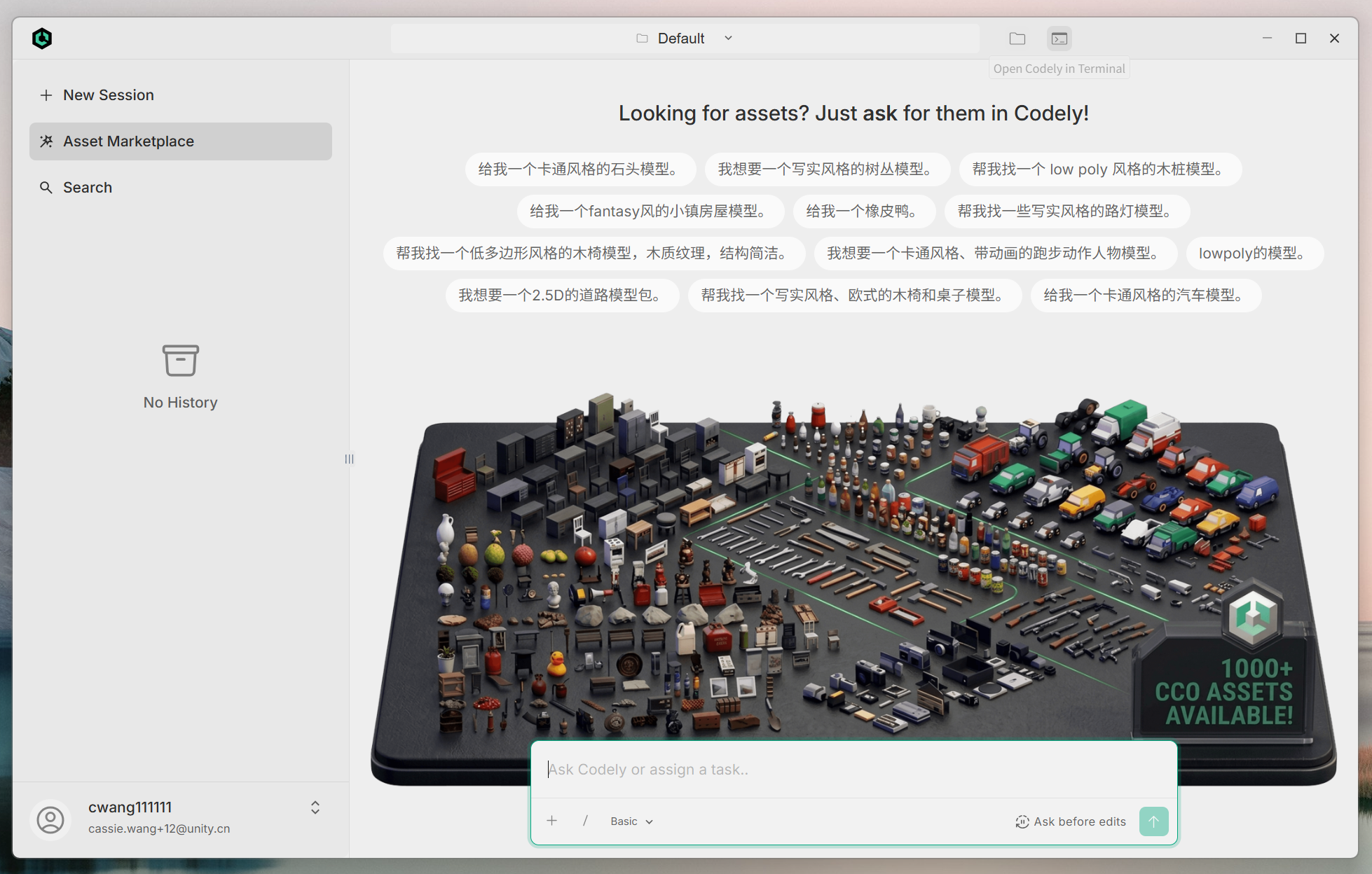
- Visit the Asset Market to browse a wide range of 3D assets, or start building your own game.
Connecting to Unity/Tuanjie Engine
- Open a Unity or Tuanjie project in Tuanjie Cowork.

- Click the Unity/Tuanjie icon in the dialog to connect to Codely Bridge.

- Return to the editor, and the Codely Bridge Package will be installed automatically. After installation is complete, the Unity/Tuanjie icon in the dialog will be displayed as shown below.

Key Features
1. Code Analysis and Understanding
- Understands the entire codebase structure and context
- Analyzes functions, classes, and dependency relationships
- Tracks code execution flow and data flow
2. Code Writing and Modification
- Generates high-quality code based on requirements
- Refactors existing code to improve readability and performance
- Automatically fixes bugs and optimizes implementation
3. File Operations
- Creates new files and project structures
- Reads and analyzes existing file content
- Edits and modifies code files
- Batch replacement and refactoring
4. Code Search and Exploration
- Searches for definitions and references of functions, classes, and variables
- Finds code matching specific patterns
- Quickly locates files and directories
5. Task Planning and Management
- Breaks down complex tasks into executable sub-tasks
- Tracks task progress and status
- Manages project workflows
6. Multimodal Understanding
- Analyzes images, screenshots, and diagrams
- Understands UI designs and architecture diagrams
- Extracts technical information from visual content
Core Concepts
Context Understanding
Tuanjie Cowork automatically understands your project's:
- Directory structure and organization
- Programming languages and frameworks used
- Coding standards and conventions
- Dependencies and configurations
Safety First
- Won't modify unrelated code without your knowledge
- Prompts for confirmation before performing destructive operations
- Respects project rules such as .gitignore
- Protects sensitive information from being exposed
Intelligent Suggestions
Beyond executing your prompts, Tuanjie Cowork also:
- Points out potential issues and risks
- Provides better implementation solutions
- Explains how code works
- Suggests related best practices
Common Use Cases
Developing New Features
User: Help me implement a user registration API
Tuanjie Cowork: Let me first review the existing project structure and user-related code...
Bug Fixing
User: Login function is throwing errors, can't find the cause
Tuanjie Cowork: Let me check the error logs and related code first...
Code Refactoring
User: This code is messy, can you help me refactor it?
Tuanjie Cowork: Analyzing code structure, proposing a refactoring plan...
Learning New Technologies
User: Teach me how to use React Hooks
Tuanjie Cowork: Let me explain based on your existing code...
Understanding Codebase
User: How is this project organized?
Tuanjie Cowork: Analyzing project structure, creating an architecture overview...