Text-to-Speech (TTS)
Use MiniMax TTS to generate speech from text (text-to-speech). Supports Chinese (Mandarin), English, and Japanese preset or custom voices. Output MP3 is automatically imported as AudioClip, saved to Assets/TJGenerators/History/.
Suitable for character voiceover, narration, notification sounds, dialogue lines, etc. For background music, use the BGM from Audio Generation; for sound effects, use SFX.
Getting Started
Start from GUI
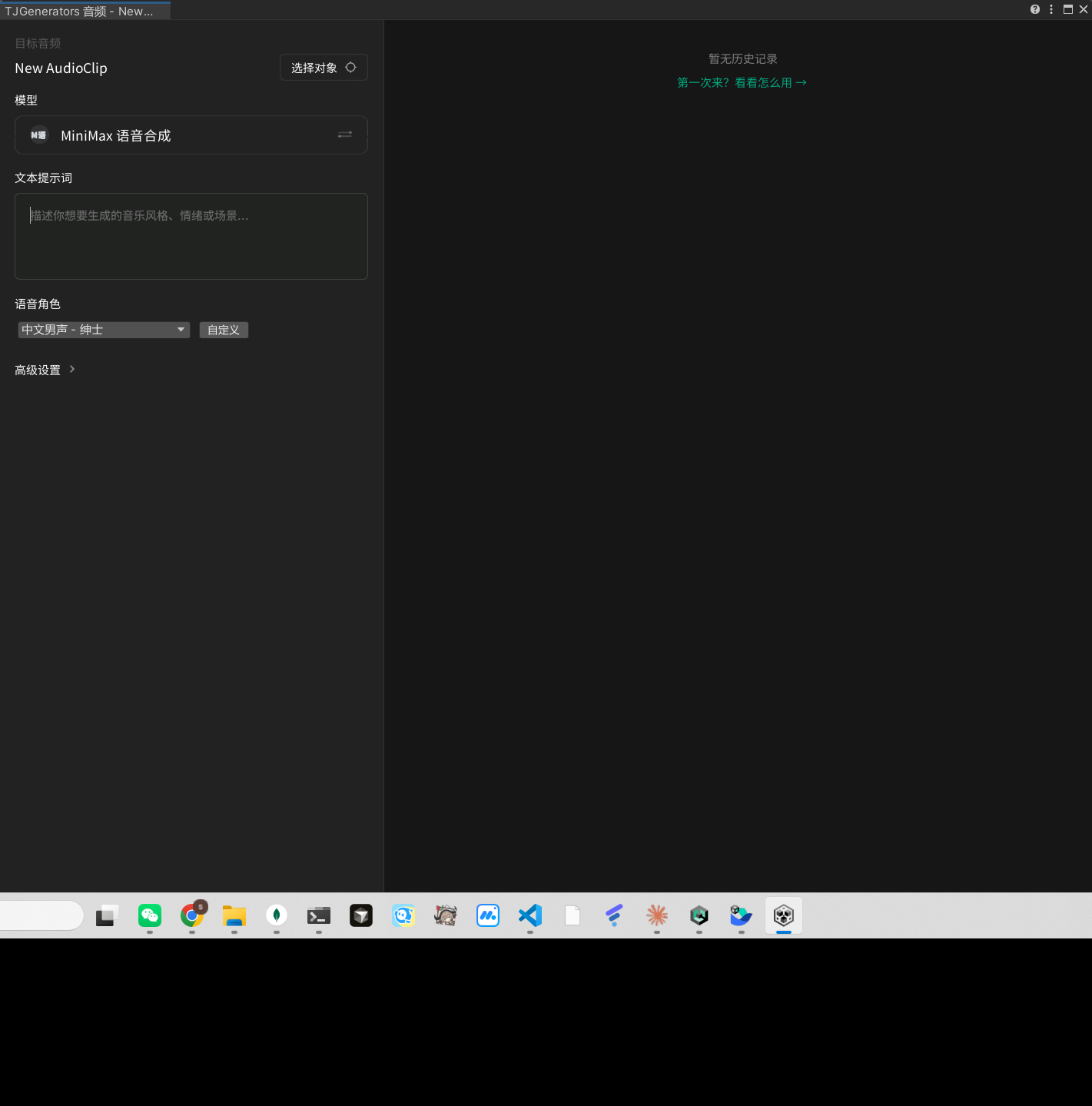
Menu: AI > Generate > Generate Audio, in the opened TJGenerators Audio window, switch the "Model" to MiniMax Text-to-Speech to use TTS: enter the text to synthesize, select a voice character, and click generate.
Start from CLI
Use the generate_tts tool to generate speech from text. After generation, the speech is automatically imported as an AudioClip and ready to use in your scene.
Models
MiniMax Text-to-Speech (Only Model)
- generator_id:
minimax-tts - Use Cases: Text-to-speech, character voiceover, narration
- Output: MP3, automatically imported as AudioClip
- Key Parameters:
| Parameter | Type | Default | Description |
|---|---|---|---|
prompt | string | Required | Text to synthesize |
voice_id | string | Chinese (Mandarin)_Gentleman | Voice ID (see table below, supports custom) |
output_path | string | Auto-generated | Asset save path (.mp3 auto-appended) |
play_on_awake | bool | false | Whether AudioSource auto-plays on entering Play Mode |
Preset Voices (voice_id)
| value | Description |
|---|---|
Chinese (Mandarin)_Gentleman | Chinese Male - Gentleman (default) |
Chinese (Mandarin)_Humorous_Elder | Chinese Male - Humorous Elder |
Chinese (Mandarin)_Cute_Spirit | Chinese Female - Cute Spirit |
Chinese (Mandarin)_Warm_Bestie | Chinese Female - Warm Bestie |
English_WiseScholar | English Male - Wise Scholar |
English_captivating_female1 | English Female - Captivating |
Japanese_LoyalKnight | Japanese Male - Loyal Knight |
moss_audio_f0c5494c-7c25-11f0-8d70-a2abf1fbea61 | Japanese Female |
voice_idsupports custom values (allowCustom), you can enter other voice IDs provided by MiniMax.
Optimization
Text Optimization
- Use the language matching the voice: Chinese voice for Chinese text, English voice for English text
- Add appropriate punctuation: Commas and periods help control pauses and intonation
- Segmented synthesis: Long dialogue lines can be split into multiple sentences for separate generation, making it easier to trigger them in the engine as needed
Voice Selection
- Character dialogue: Choose voices matching character gender/personality (Gentleman/Humorous Elder/Cute Spirit, etc.)
- Narration/commentary: Prefer steady male or female voices
- Multi-language projects: Use voices in the corresponding language for each part
AudioSource Configuration
- One-time lines/notification sounds:
play_on_awake: false, triggered by scripts or events - Narration that plays on entering scene:
play_on_awake: true
Notes
- ⚠️ Entry point: GUI via
AI > Generate > Generate Audiowindow, switch model to "MiniMax Text-to-Speech"; CLI viagenerate_ttstool - ⚠️
promptis required: The text to synthesize cannot be empty - ⚠️ Language and voice must match: Chinese text with Chinese voice, otherwise pronunciation may be abnormal
- ⚠️ Generation takes 10–30 seconds
- ⚠️ Output is AudioClip (MP3): When placing in scene, bind as sound effect (
AudioClip SFX) to AudioSource - ⚠️ Output path: Default
Assets/TJGenerators/History/ - ⚠️ Domain Reload: Do not write
.csfiles to disk during generation, useexecute_csharp_scriptinstead