3D Model Generation
Getting Started
Start from GUI
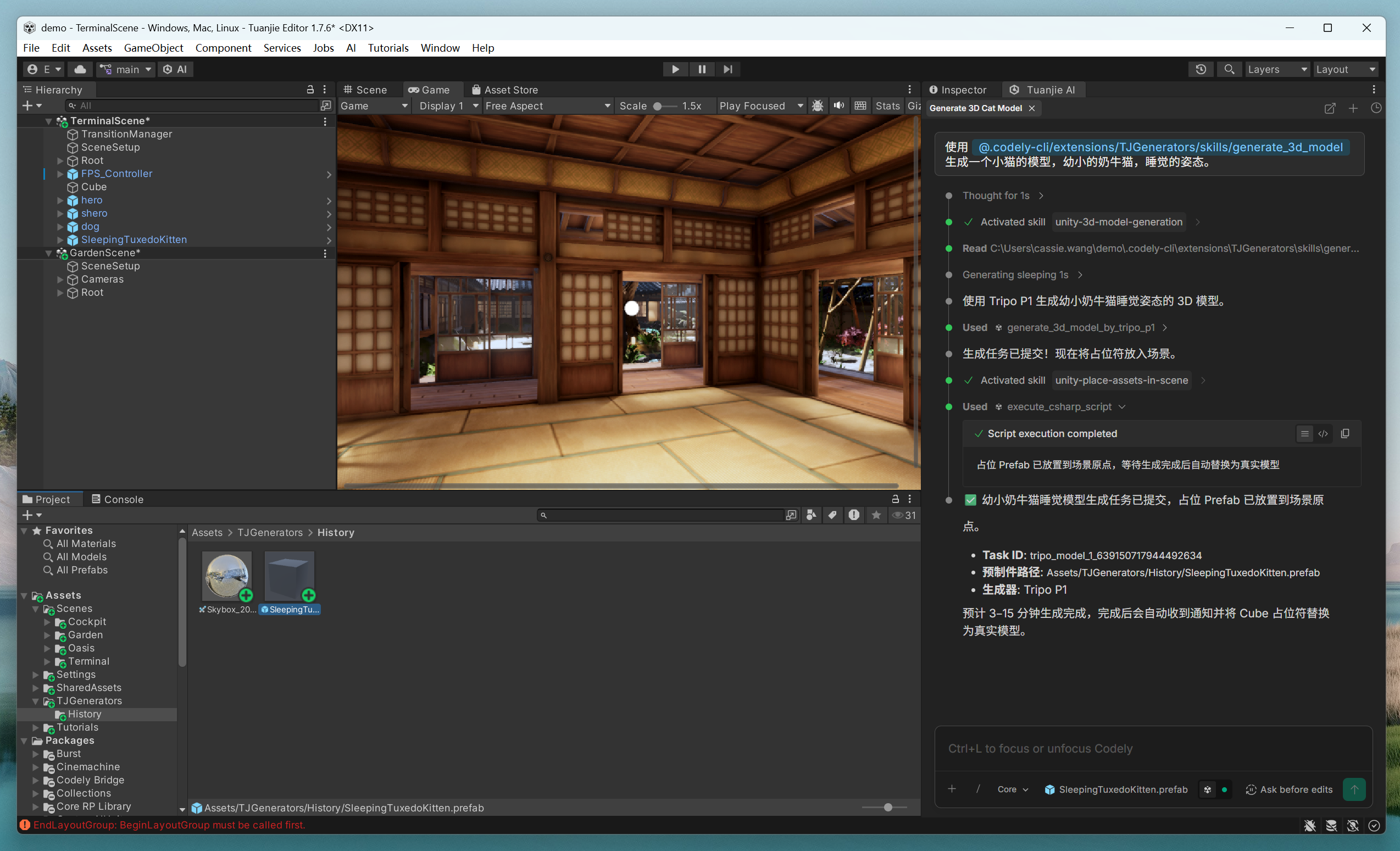
- Enter a
promptin the Tuanjie AI dialog to generate.
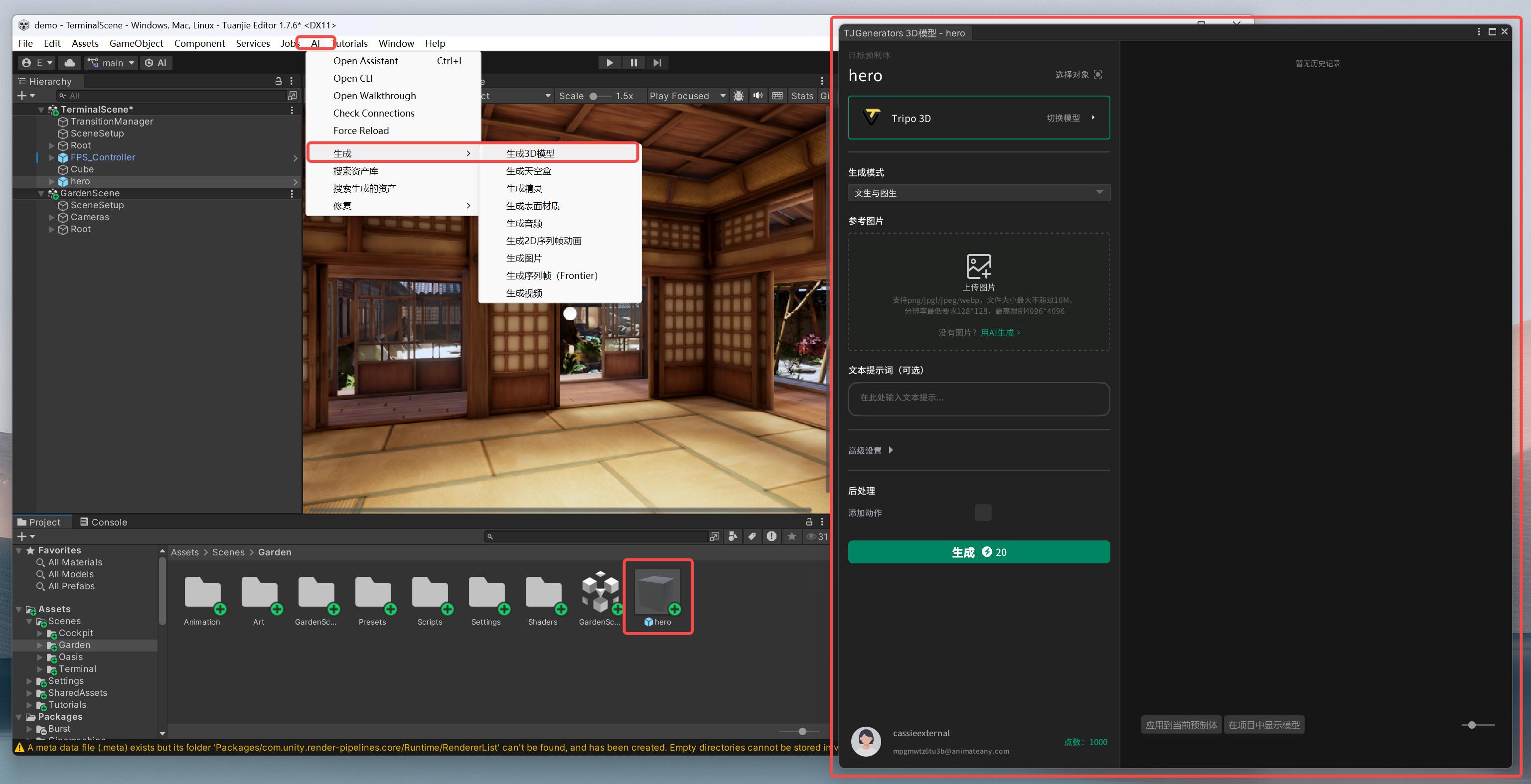
- From menu:
AI > Generate > Generate 3D Model, which will generate aPrefaband open theTJGeneratorsdialog window.
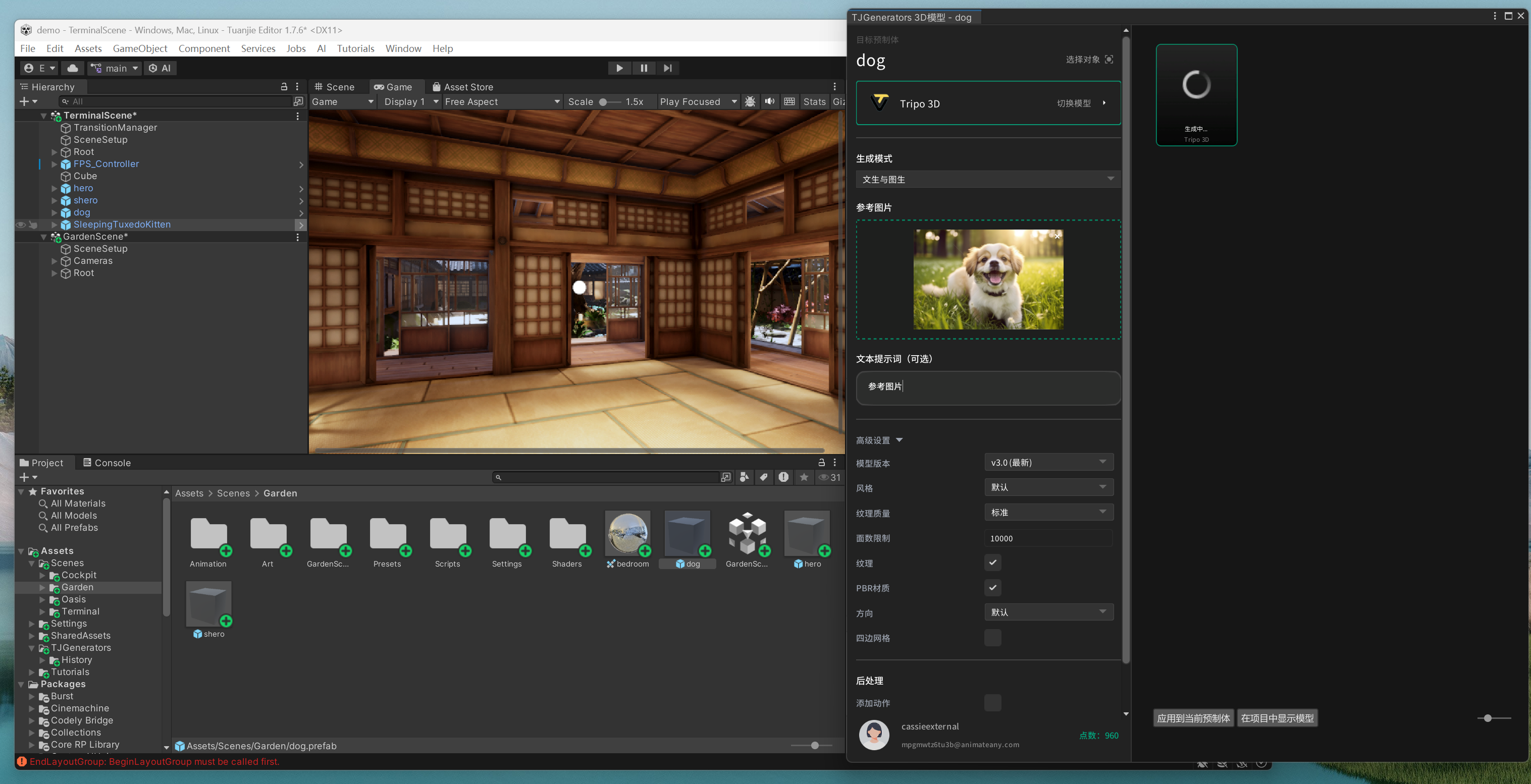
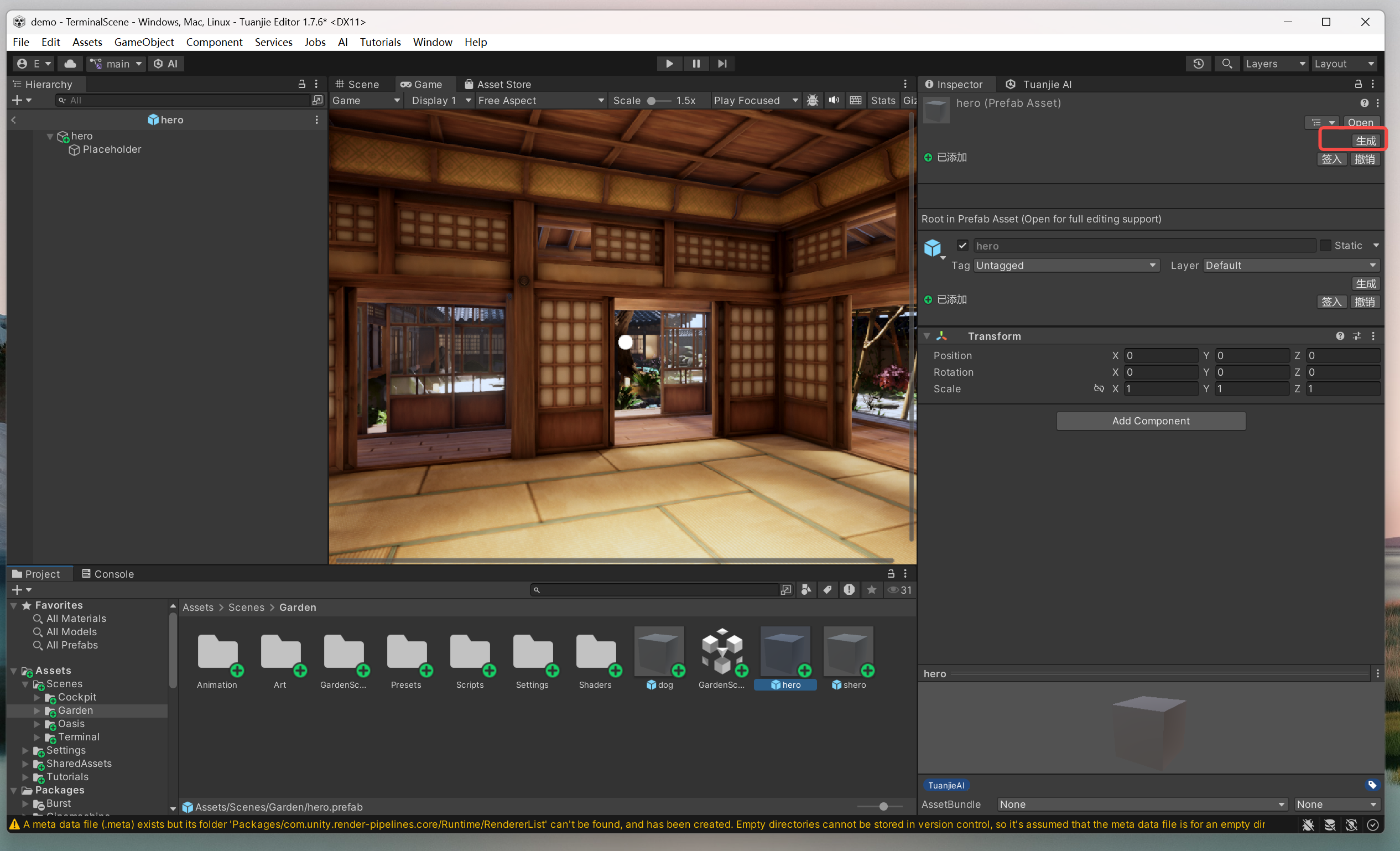
If the TJGenerators dialog window is closed, you can select the Prefab and find Generate in the Inspector to reopen the window.
Start from CLI
Use generate_3d_model_by_tripo_p1 or generate_3d_model_by_tencent_generation tools to generate 3D models. After generation is complete, the model is automatically saved as a Prefab and can be used in the scene.
Input Modes:
| Mode | Parameters | Description |
|---|---|---|
| Text-to-3D | prompt | Pure text description generation |
| Image-to-3D | image_path | Generate from reference image |
| Text + Image | prompt + image_path | Reference image generation with text guidance |
| Multi-view | multiview_image_paths (Tripo P1 only) | Generate from four angles: front/left/back/right, at least 3 images |
Common Models
Tripo P1 (Default Choice)
- Use Cases: Mobile / Mini Games / Low Poly / General 3D Assets
- Model Version:
P1-20260311 - Output Format: GLB
- Face Count Control:
face_limitrecommended range 48–20000 - Textures: Supports
texture(default true),pbr(default true),texture_quality(standard/detailed),texture_seed - Key Parameters:
prompt(≤1024 characters)image_path: Reference image pathmultiview_image_paths: Multi-view path array[front, left, back, right], at least 3 images, front must existface_limit: Low polygon controlexport_uv: Default true, disabling can speed up and reduce file sizetexture_alignment:original_image/geometryorientation:default/align_imagewith_mesh_segmentation: Default false, when enabled, splits the model semantically into multiple sub-meshes (separated model)auto_size: Auto size;compress: such asgeometry
Hunyuan 3.1 (High Precision Choice)
- Use Cases: High precision hero assets / PBR material textures / FBX output
- Output Format: GLB or FBX (controlled by
result_formatparameter) - Face Count Control:
face_countrange 1000–2000000, default 500000 - Key Parameters:
prompt(≤1000 characters)image_path: Reference image pathface_count: Face countenable_pbr: Enable PBR material texturesresult_format:"GLB"or"FBX"
Model Selection Decision
| Scenario | Choice |
|---|---|
| Default/General/Low Poly/Mini Games/Mobile | Tripo P1 |
| High Precision/Hero Assets/PBR/FBX | Hunyuan 3.1 |
How to Optimize
Prompt Optimization
- Specific descriptions work better than vague descriptions:
"a medieval wooden dining chair with carved legs and cushioned seat">"a chair" - Image-to-3D is generally more controllable than pure text; providing reference images can significantly improve result quality
- Multi-view (Tripo P1) can significantly improve generation accuracy for symmetrical objects and complex shapes
Face Count Optimization
- Mobile/Background Props:
face_limit: 5000(Tripo P1) orface_count: 50000(Hunyuan 3.1) - General Use:
face_limit: 10000(Tripo P1) orface_count: 200000(Hunyuan 3.1) - Hero Assets:
face_count: 500000+(Hunyuan 3.1)
Performance Optimization
- Disable UV Export (Tripo P1
export_uv: false): Significantly speeds up and reduces file size, suitable for scenarios not requiring custom textures - Batch Parallelism: Can submit multiple generation tasks simultaneously
- Estimated Time: Tripo P1 3–10 minutes, Hunyuan 3.1 about 10 minutes
Notes
- ⚠️ P1-20260311 Version Prohibited Parameters:
quad,smart_low_poly,generate_parts,geometry_quality, passing these will cause API errors - ⚠️ Generation Time 3–15 Minutes
- ⚠️ 100% Progress ≠ Completion: Model files may still be downloading and importing, please wait for generation to fully complete
- ⚠️ Domain Reload: Do not write
.csfiles to disk during generation (will trigger domain reload), useexecute_csharp_scriptinstead - ⚠️ Interrupt Recovery: When generation is interrupted, you need to regenerate with
force_overwrite=true - ⚠️ Output Path: Default
Assets/TJGenerators/History/, do not customize unless explicitly requested by the user - ⚠️ Terrain/Landscapes: Use
generate_terrain, do not use 3D model tools to generate large-scale terrains - ⚠️ Humanoid Characters with Skeletal Animations: Use
generate_animated_character, do not use static model tools