Introduction
Tuanjie AI lets you customize application behavior to match your preferences and workflows.
Entering Settings
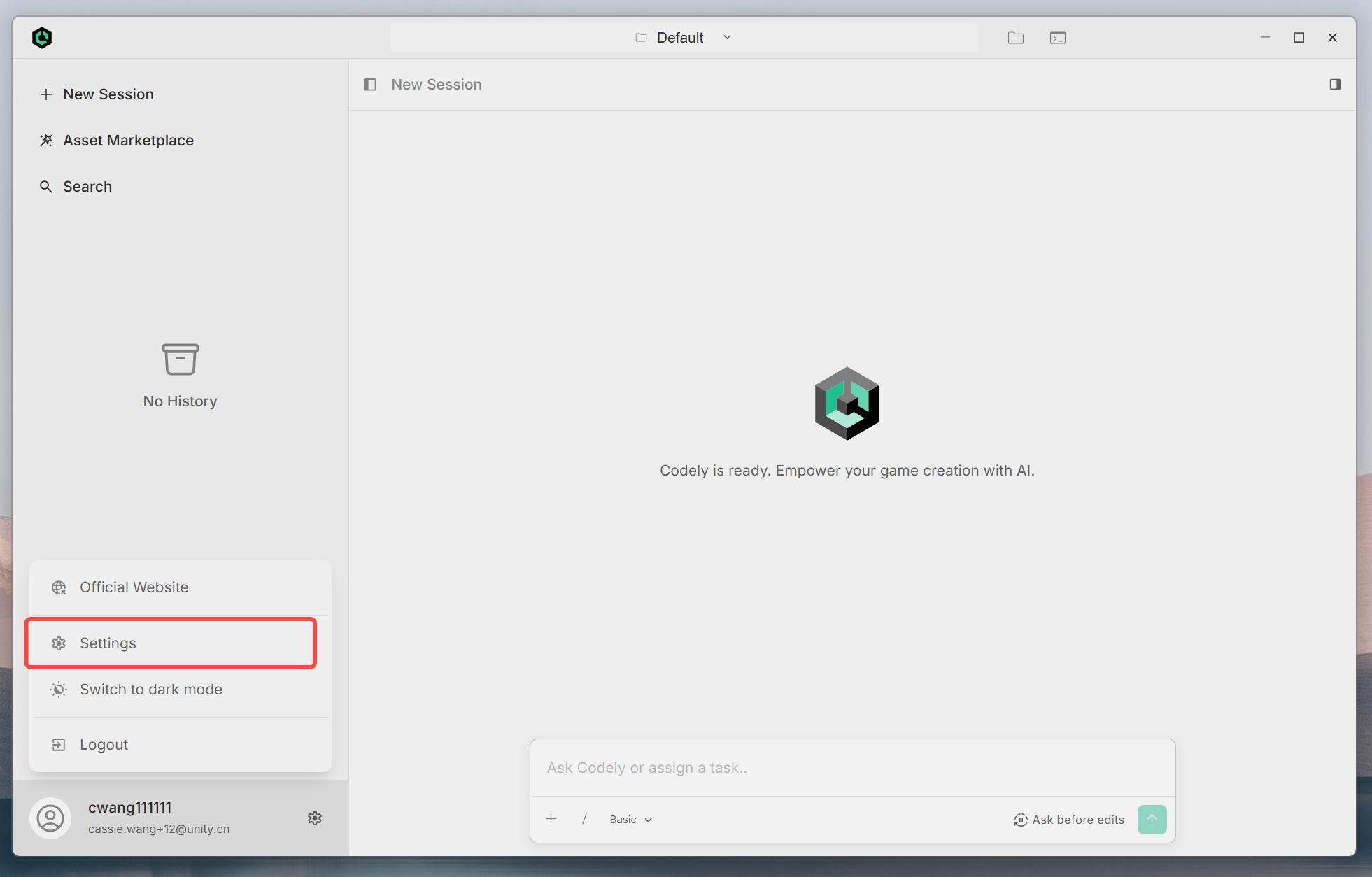
You can click the ⚙️ icon to enter Settings, or find Settings through '/'.
Main Features
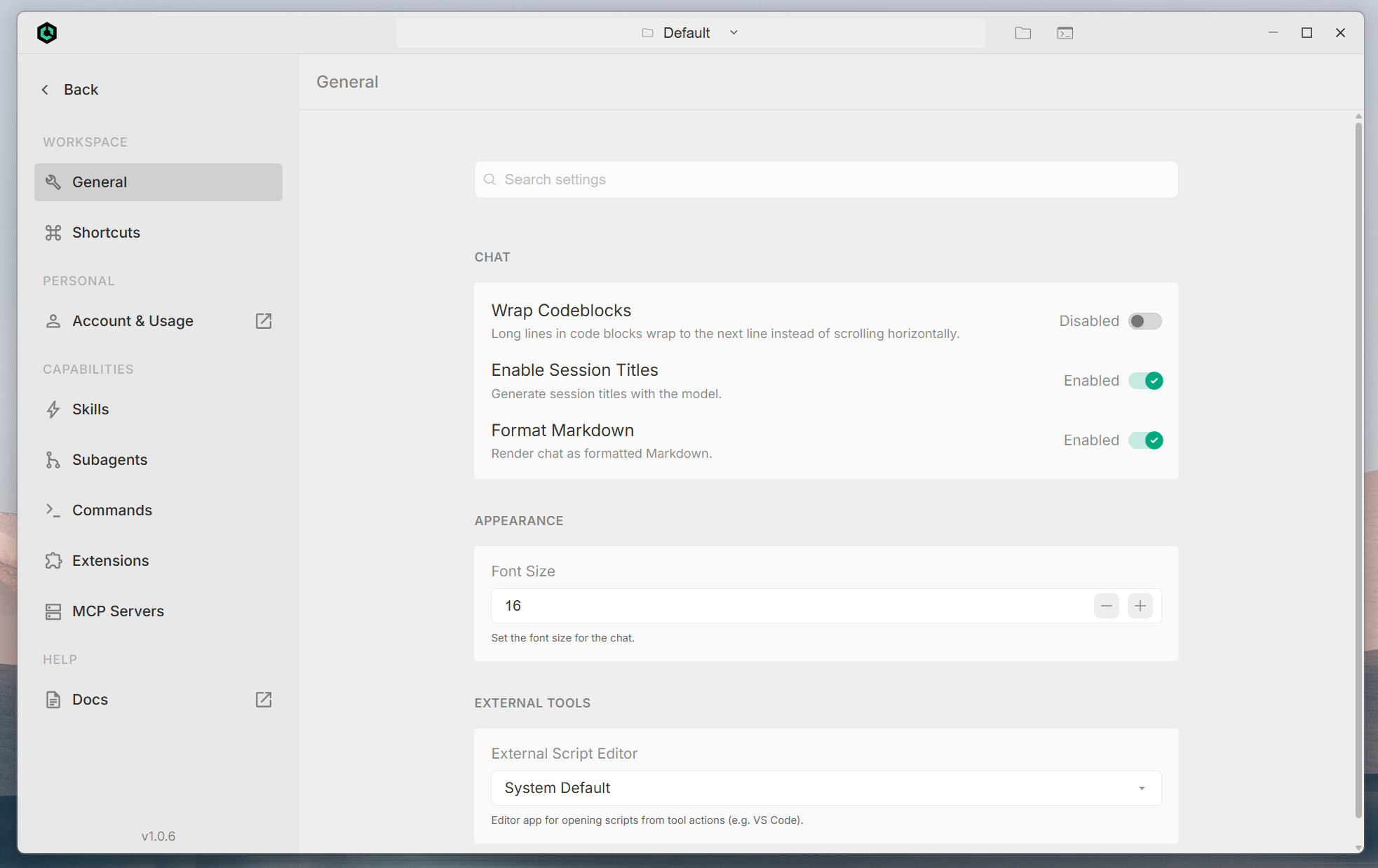
WORKSPACE
| Menu Item | Description |
|---|
| General | Options closely related to daily use such as chat, appearance, and external tools; this is the main page focused on in this document. |
| Shortcuts | View and customize keyboard shortcuts. |
PERSONAL
| Menu Item | Description |
|---|
| Account & Usage | Settings related to account and usage; if there is an external link icon next to the name, it indicates that the browser will open and jump to the web management interface. |
CAPABILITIES
| Menu Item | Description |
|---|
| Skills | Manage and extend AI-related capabilities or skill packages. |
| Subagents | Configure subagent behavior for independent task execution. |
| Commands | Custom command related settings. |
| Extensions | Installation and management of plugins or extensions. |
| MCP Servers | Model Context Protocol server connection and configuration, used to provide external tools and data sources for the model. |
HELP
| Menu Item | Description |
|---|
| Docs | Open official or product documentation (usually an external link). |
Feature Introduction
CHAT
Wrap Codeblocks
- Purpose: Controls how long lines in code blocks are displayed.
- When enabled: Extra long lines will automatically wrap to the next line, allowing full text to be read without horizontal scrolling.
- When disabled: Long lines remain on a single line, usually requiring horizontal scrolling to view.
- Best for: When reading wide code in small windows or narrow screens, you can enable this to avoid frequent left-right dragging.
Enable Session Titles
- Purpose: Allows the model to automatically generate a title for the current session, making it easier to distinguish different conversation topics in history.
- Recommendation: Keep enabled when you need clear archiving of multi-turn conversations; disable if you don't want additional model calls to generate titles.
- Purpose: Render content in Markdown format in chat (styles such as headings, lists, code blocks, links, etc.).
- When disabled: May display in a way closer to plain text; specific behavior depends on client implementation.
APPEARANCE
Font Size
- Purpose: Set the font size of body text in the chat area.
- Operation: Adjust value through number input box and minus (−) / plus (+) (in the example interface, it's 16).
- Recommendation: Increase font size appropriately for long reading sessions to reduce eye strain; you can decrease it appropriately for external large screens to display more content on one screen.
Other Features